


MaxiMet GMX200
Downloads & Software
-
DATASHEETS
MaxiMet Compact Weather Stations

MetConnect Weather Stations
MetPak Professional Weather Stations (discontinued)
TruMet Infrared Rain Gauges
WindSonic (2-Axis Anemometer)
WindUltra (2-Axis Anemometer)
WindObserver (2-Axis Anemometer)
WindMaster (3-Axis Anemometer)
R3 (3-Axis Anemometer)
HS (3-Axis Horizontal Mount Anemometer)
Intelligent Communications Hubs (discontinued)
MetStream 100Wind Displays (Marine Wind Display discontinued)
-
MANUALS
MaxiMet Compact Weather Stations
MetConnect Weather Stations
MetConnect User Manual – Issue 2
MetPak Professional Weather Stations (discontinued)
TruMet Infrared Rain Gauges
TruMet PW100 Manual – Issue 2
WindSonic (2-Axis Anemometer)
WindUltra (2-Axis Anemometer)
WindMaster (3-Axis Anemometer)
R3 (3-Axis Anemometer)
R3-50 R3-100 R3A-100 User Manual – Issue 3
HS (3-Axis Horizontal Mount Anemometer)
HS-50 HS-100 User Manual – Issue 4
Intelligent Communications Hubs (discontinued)
MetStream 100 User Manual – Issue 5Wind Displays (Marine Wind Display discontinued)
Multifunctional TFT Wind Display (OMC-140) Installation Manual
Multifuctional TFT Wind Display (OMC-140) Operator Manual
Multifuctional TFT Wind Display – WindObserver Connection GuideMultifuctional TFT Wind Display – WindSonic Connection GuideOMC – 140 -SD Logging Supplement
Marine Wind Display User Manual – Issue 8-
SOFTWARE
MetSet

Overview
MetSet (2.20-04) is a PC application which can be used to configure Gill Weather Stations.Compatible Products
MetSet is compatible with the following products:- MaxiMet (with firmware version 1.02.01 or higher)
- MetConnect
- MetPak (with serial number 1127001 or higher)
- MetPak Pro (with serial number 1127001 or higher)
For MetPak models with serial numbers lower than 1127001 please contact anemsupport@gillinstruments.com
Compatible Operating Systems
MetSet is compatible with the following operating systems:- Windows® 10
- Windows® XP
- Windows® Vista
- Windows® 7
MetView


Overview
MetView (v2.14-01) is a PC application which can be used to view the data collected by Gill Weather Stations.Compatible Products
MetView is compatible with the following products:- MaxiMet (with firmware version 1.02.01 or higher)
- MetConnect
- MetPak (with serial number 1127001 or higher)
- MetPak Pro (with serial number 1127001 or higher)
For MetPak models with serial numbers lower than 1127001 please contact anemsupport@gillinstruments.com
Compatible Operating Systems
MetView is compatible with the following operating systems:- Windows® 10
- Windows® XP
- Windows® Vista
- Windows® 7
Wind

Overview
Wind (v1.17-I1) is a PC application which can be used to configure Gill wind sensors.Compatible Products
The Wind application is compatible with the following products:- WindSonic (serial numbers 08100001 or higher), excluding WindSonic Option 5 and WindSonic 75 Option 5. Please use WindSet software for both these options.
- WindMaster
- WindMaster Pro
- WindMaster HS
In addition the Wind application can be used as a terminal emulator to configure the following products:
- WindObserver II, 65, 70, 75, 90, RH
- R3-50, R3-100
- HS-50, HS-100
Compatible Operating Systems
The Wind application is compatible with the following operating systems:- Windows® 10
- Windows® XP
- Windows® Vista
WindView

Overview
WindView (v1.04-I1) is a PC application which can be used to view data collected by Gill wind sensors.For further information please see the WindView Software Manual.
Compatible Products
The WindView application is compatible with the following products:- WindSonic (serial numbers 08100001or higher)
- WindMaster
- WindMaster Pro
- WindMaster HS
- WindObserver II, 65, 70, 75, 90, RH
In addition the WindView application can be used as a terminal emulator to view data from the following products:
- R3-50, R3-100
- HS-50, HS-100
Compatible Operating Systems
The WindView application is compatible with the following operating systems:- Windows® 10
- Windows® XP
- Windows® Vista
WindSet

Overview
WindSet (v2.17) is a PC application which can be used to configure and update the following wind sensors: Gill WindUltra, WindSonic Option 5 (Modbus) and WindSonic 75 Option 5 (Modbus).For further information please see the WindSet Software Manual.
Compatible Products
The WindSet application is compatible with the following products:- WindUltra
- WindSonic Option 5 (Modbus RTU output)
- WindSonic 75 Option 5 (Modbus RTU output)
Compatible Operating Systems
The WindSet application is compatible with the following operating system:- Windows® 10 and 11
Mscan

Overview
Mscan (v2.1-1) is a PC application which will find any MetStream product that is connected to a PC directly or over a local network. Mscan will list the IP addresses of any connected MetStream units to enable the user to connect to the MetStream using a browser. By connecting to the MetStream the user can display the data collected by the MetStream using the display application included in the MetStream.Compatible Products
Mscan is compatible with the following products:- MetStream 100
- MetStream 105
Compatible Operating Systems
MScan is compatible with the following operating systems:- Windows® 10
- Windows® 8
- Windows® 7
- Windows® XP
ASCII to Binary / Binary to ASCII Converter

Overview
This PC application enables the conversion of:- ASCII to Binary
- Binary to ASCII
Compatible Products
The application is compatible with data from any Gill product.Compatible Operating Systems
The ASCII to Binary application is compatible with the following operating systems:- Windows® 10
- Windows® XP
- Windows® Vista
Additional Applications to support Gill products
Gill have a number of applications to support older products and older operating systems. For more information please contact anemsupport@gillinstruments.com specifying
- Product Name
- Part Number
- Product Serial Number
- PC Operating System
-
BROCHURES
-
DoCs
Declarations of Conformity (DoCs)
MaxiMet Compact Weather Stations
MetConnect & MetPak Weather Stations
WindSonic (2-Axis Anemometer)
WindUltra (2-Axis Anemometer)
WindObserver (2-Axis Anemometer)
WindMaster (3-Axis Anemometer)
R3 (3-Axis Anemometer) and HS (3-Axis Horizontal Mount Anemometer)
Intelligent Communications Hubs


MaxiMet Compact Weather Stations

MetConnect Weather Stations

MetPak Professional Weather Stations (discontinued)

TruMet Infrared Rain Gauges

WindSonic (2-Axis Anemometer)

WindUltra (2-Axis Anemometer)

WindObserver (2-Axis Anemometer)

WindMaster (3-Axis Anemometer)

R3 (3-Axis Anemometer)

HS (3-Axis Horizontal Mount Anemometer)
Intelligent Communications Hubs (discontinued)

MetStream 100
Wind Displays (Marine Wind Display discontinued)

MaxiMet Compact Weather Stations
MetConnect Weather Stations
MetConnect User Manual – Issue 2
MetPak Professional Weather Stations (discontinued)
TruMet Infrared Rain Gauges

TruMet PW100 Manual – Issue 2
WindSonic (2-Axis Anemometer)
WindUltra (2-Axis Anemometer)
WindMaster (3-Axis Anemometer)
R3 (3-Axis Anemometer)
R3-50 R3-100 R3A-100 User Manual – Issue 3
HS (3-Axis Horizontal Mount Anemometer)
HS-50 HS-100 User Manual – Issue 4
Intelligent Communications Hubs (discontinued)
MetStream 100 User Manual – Issue 5
Wind Displays (Marine Wind Display discontinued)
Multifunctional TFT Wind Display (OMC-140) Installation Manual
Multifuctional TFT Wind Display (OMC-140) Operator Manual
Multifuctional TFT Wind Display – WindObserver Connection Guide
Multifuctional TFT Wind Display – WindSonic Connection Guide
OMC – 140 -SD Logging Supplement
Marine Wind Display User Manual – Issue 8
MetSet
Overview
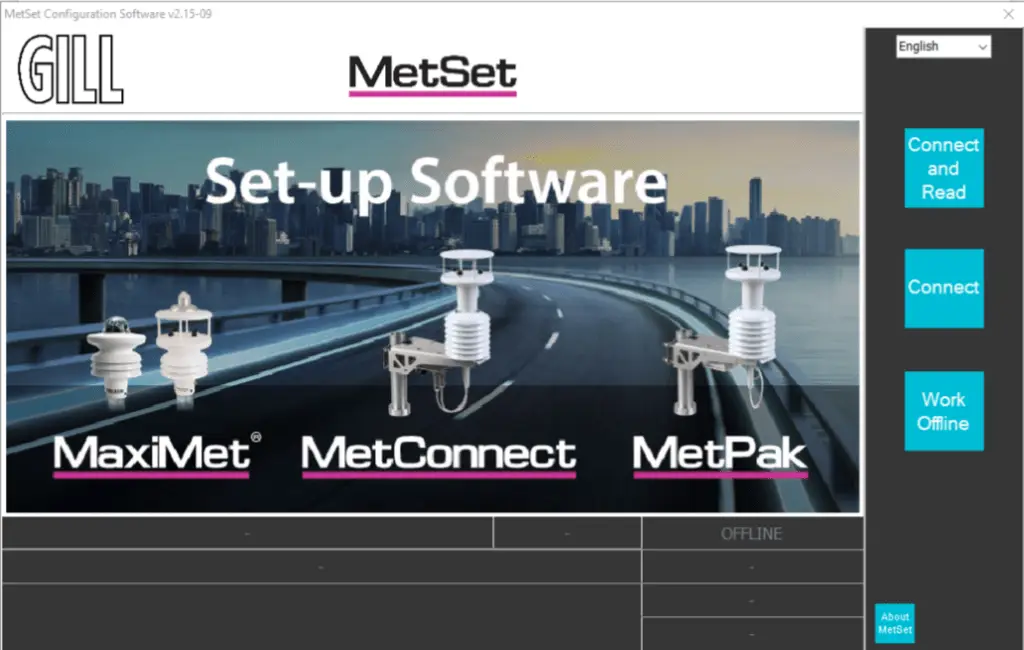
MetSet (2.20-04) is a PC application which can be used to configure Gill Weather Stations.
Compatible Products
MetSet is compatible with the following products:
- MaxiMet (with firmware version 1.02.01 or higher)
- MetConnect
- MetPak (with serial number 1127001 or higher)
- MetPak Pro (with serial number 1127001 or higher)
For MetPak models with serial numbers lower than 1127001 please contact anemsupport@gillinstruments.com
Compatible Operating Systems
MetSet is compatible with the following operating systems:
- Windows® 10
- Windows® XP
- Windows® Vista
- Windows® 7
MetView
Overview
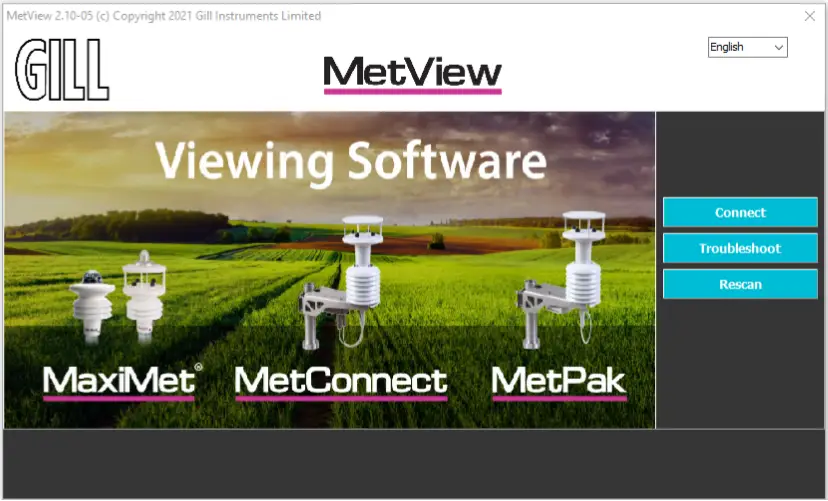
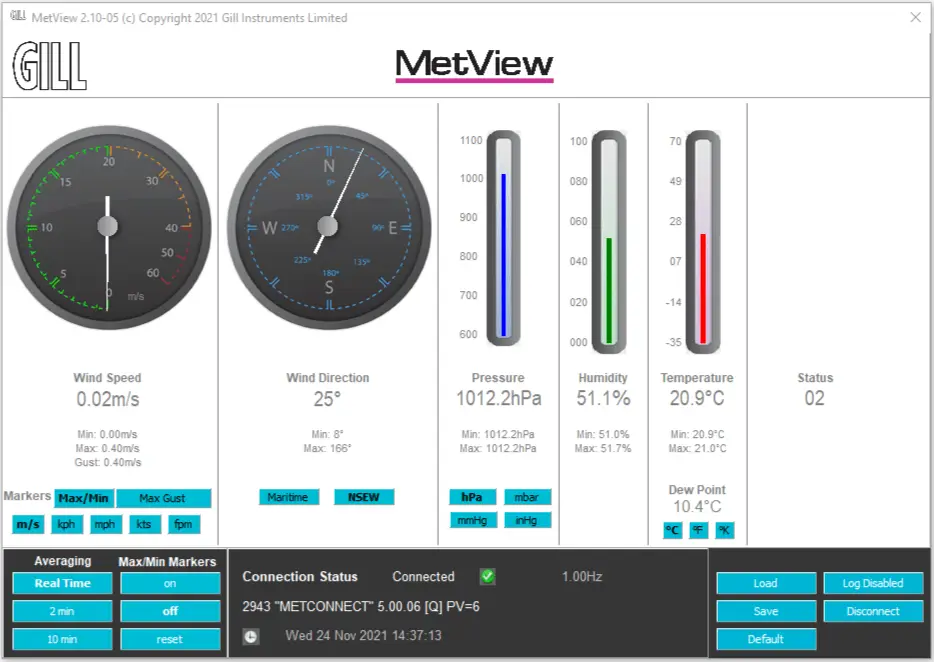
MetView (v2.14-01) is a PC application which can be used to view the data collected by Gill Weather Stations.
Compatible Products
MetView is compatible with the following products:
- MaxiMet (with firmware version 1.02.01 or higher)
- MetConnect
- MetPak (with serial number 1127001 or higher)
- MetPak Pro (with serial number 1127001 or higher)
For MetPak models with serial numbers lower than 1127001 please contact anemsupport@gillinstruments.com
Compatible Operating Systems
MetView is compatible with the following operating systems:
- Windows® 10
- Windows® XP
- Windows® Vista
- Windows® 7
Wind
Overview
Wind (v1.17-I1) is a PC application which can be used to configure Gill wind sensors.
Compatible Products
The Wind application is compatible with the following products:
- WindSonic (serial numbers 08100001 or higher), excluding WindSonic Option 5 and WindSonic 75 Option 5. Please use WindSet software for both these options.
- WindMaster
- WindMaster Pro
- WindMaster HS
In addition the Wind application can be used as a terminal emulator to configure the following products:
- WindObserver II, 65, 70, 75, 90, RH
- R3-50, R3-100
- HS-50, HS-100
Compatible Operating Systems
The Wind application is compatible with the following operating systems:
- Windows® 10
- Windows® XP
- Windows® Vista
WindView
Overview
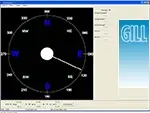
WindView (v1.04-I1) is a PC application which can be used to view data collected by Gill wind sensors.
For further information please see the WindView Software Manual.
Compatible Products
The WindView application is compatible with the following products:
- WindSonic (serial numbers 08100001or higher)
- WindMaster
- WindMaster Pro
- WindMaster HS
- WindObserver II, 65, 70, 75, 90, RH
In addition the WindView application can be used as a terminal emulator to view data from the following products:
- R3-50, R3-100
- HS-50, HS-100
Compatible Operating Systems
The WindView application is compatible with the following operating systems:
- Windows® 10
- Windows® XP
- Windows® Vista
WindSet

Overview
WindSet (v2.17) is a PC application which can be used to configure and update the following wind sensors: Gill WindUltra, WindSonic Option 5 (Modbus) and WindSonic 75 Option 5 (Modbus).
For further information please see the WindSet Software Manual.
Compatible Products
The WindSet application is compatible with the following products:
- WindUltra
- WindSonic Option 5 (Modbus RTU output)
- WindSonic 75 Option 5 (Modbus RTU output)
Compatible Operating Systems
The WindSet application is compatible with the following operating system:
- Windows® 10 and 11
Mscan
Overview
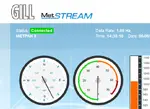
Mscan (v2.1-1) is a PC application which will find any MetStream product that is connected to a PC directly or over a local network. Mscan will list the IP addresses of any connected MetStream units to enable the user to connect to the MetStream using a browser. By connecting to the MetStream the user can display the data collected by the MetStream using the display application included in the MetStream.
Compatible Products
Mscan is compatible with the following products:
- MetStream 100
- MetStream 105
Compatible Operating Systems
MScan is compatible with the following operating systems:
- Windows® 10
- Windows® 8
- Windows® 7
- Windows® XP
ASCII to Binary / Binary to ASCII Converter
Overview
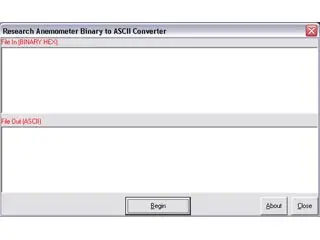
This PC application enables the conversion of:
- ASCII to Binary
- Binary to ASCII
Compatible Products
The application is compatible with data from any Gill product.
Compatible Operating Systems
The ASCII to Binary application is compatible with the following operating systems:
- Windows® 10
- Windows® XP
- Windows® Vista
Additional Applications to support Gill products
Gill have a number of applications to support older products and older operating systems. For more information please contact anemsupport@gillinstruments.com specifying
- Product Name
- Part Number
- Product Serial Number
- PC Operating System
Declarations of Conformity (DoCs)
MaxiMet Compact Weather Stations
MetConnect & MetPak Weather Stations
WindSonic (2-Axis Anemometer)
WindUltra (2-Axis Anemometer)
WindObserver (2-Axis Anemometer)
WindMaster (3-Axis Anemometer)
R3 (3-Axis Anemometer) and HS (3-Axis Horizontal Mount
Anemometer)
Intelligent Communications Hubs
-
DATASHEETS
MaxiMet Compact Weather Stations
MetConnect Weather Stations
MetPak Professional Weather Stations (discontinued)
TruMet Infrared Rain Gauges
WindSonic (2-Axis Anemometer)
WindUltra (2-Axis Anemometer)
WindObserver (2-Axis Anemometer)
WindMaster (3-Axis Anemometer)
R3 (3-Axis Anemometer)
HS (3-Axis Horizontal Mount Anemometer)
Intelligent Communications Hubs (discontinued)
MetStream 100Wind Displays (Marine Wind Display discontinued)
-
MANUALS
MaxiMet Compact Weather Stations
MetConnect Weather Stations
MetConnect User Manual – Issue 2
MetPak Professional Weather Stations (discontinued)
TruMet Infrared Rain Gauges
TruMet PW100 Manual – Issue 2
WindSonic (2-Axis Anemometer)
WindUltra (2-Axis Anemometer)
WindMaster (3-Axis Anemometer)
R3 (3-Axis Anemometer)
R3-50 R3-100 R3A-100 User Manual – Issue 3
HS (3-Axis Horizontal Mount Anemometer)
HS-50 HS-100 User Manual – Issue 4
Intelligent Communications Hubs (discontinued)
MetStream 100 User Manual – Issue 5Wind Displays (Marine Wind Display discontinued)
Multifunctional TFT Wind Display (OMC-140) Installation Manual
Multifuctional TFT Wind Display (OMC-140) Operator Manual
Multifuctional TFT Wind Display – WindObserver Connection GuideMultifuctional TFT Wind Display – WindSonic Connection GuideOMC – 140 -SD Logging Supplement
Marine Wind Display User Manual – Issue 8-
SOFTWARE
MetSet
Overview
MetSet (2.20-04) is a PC application which can be used to configure Gill Weather Stations.Compatible Products
MetSet is compatible with the following products:- MaxiMet (with firmware version 1.02.01 or higher)
- MetConnect
- MetPak (with serial number 1127001 or higher)
- MetPak Pro (with serial number 1127001 or higher)
For MetPak models with serial numbers lower than 1127001 please contact anemsupport@gillinstruments.com
Compatible Operating Systems
MetSet is compatible with the following operating systems:- Windows® 10
- Windows® XP
- Windows® Vista
- Windows® 7
MetView
Overview
MetView (v2.14-01) is a PC application which can be used to view the data collected by Gill Weather Stations.Compatible Products
MetView is compatible with the following products:- MaxiMet (with firmware version 1.02.01 or higher)
- MetConnect
- MetPak (with serial number 1127001 or higher)
- MetPak Pro (with serial number 1127001 or higher)
For MetPak models with serial numbers lower than 1127001 please contact anemsupport@gillinstruments.com
Compatible Operating Systems
MetView is compatible with the following operating systems:- Windows® 10
- Windows® XP
- Windows® Vista
- Windows® 7
Wind
Overview
Wind (v1.17-I1) is a PC application which can be used to configure Gill wind sensors.Compatible Products
The Wind application is compatible with the following products:- WindSonic (serial numbers 08100001 or higher), excluding WindSonic Option 5 and WindSonic 75 Option 5. Please use WindSet software for both these options.
- WindMaster
- WindMaster Pro
- WindMaster HS
In addition the Wind application can be used as a terminal emulator to configure the following products:
- WindObserver II, 65, 70, 75, 90, RH
- R3-50, R3-100
- HS-50, HS-100
Compatible Operating Systems
The Wind application is compatible with the following operating systems:- Windows® 10
- Windows® XP
- Windows® Vista
WindView
Overview
WindView (v1.04-I1) is a PC application which can be used to view data collected by Gill wind sensors.For further information please see the WindView Software Manual.
Compatible Products
The WindView application is compatible with the following products:- WindSonic (serial numbers 08100001or higher)
- WindMaster
- WindMaster Pro
- WindMaster HS
- WindObserver II, 65, 70, 75, 90, RH
In addition the WindView application can be used as a terminal emulator to view data from the following products:
- R3-50, R3-100
- HS-50, HS-100
Compatible Operating Systems
The WindView application is compatible with the following operating systems:- Windows® 10
- Windows® XP
- Windows® Vista
WindSet
Overview
WindSet (v2.17) is a PC application which can be used to configure and update the following wind sensors: Gill WindUltra, WindSonic Option 5 (Modbus) and WindSonic 75 Option 5 (Modbus).For further information please see the WindSet Software Manual.
Compatible Products
The WindSet application is compatible with the following products:- WindUltra
- WindSonic Option 5 (Modbus RTU output)
- WindSonic 75 Option 5 (Modbus RTU output)
Compatible Operating Systems
The WindSet application is compatible with the following operating system:- Windows® 10 and 11
Mscan
Overview
Mscan (v2.1-1) is a PC application which will find any MetStream product that is connected to a PC directly or over a local network. Mscan will list the IP addresses of any connected MetStream units to enable the user to connect to the MetStream using a browser. By connecting to the MetStream the user can display the data collected by the MetStream using the display application included in the MetStream.Compatible Products
Mscan is compatible with the following products:- MetStream 100
- MetStream 105
Compatible Operating Systems
MScan is compatible with the following operating systems:- Windows® 10
- Windows® 8
- Windows® 7
- Windows® XP
ASCII to Binary / Binary to ASCII Converter
Overview
This PC application enables the conversion of:- ASCII to Binary
- Binary to ASCII
Compatible Products
The application is compatible with data from any Gill product.Compatible Operating Systems
The ASCII to Binary application is compatible with the following operating systems:- Windows® 10
- Windows® XP
- Windows® Vista
Additional Applications to support Gill products
Gill have a number of applications to support older products and older operating systems. For more information please contact anemsupport@gillinstruments.com specifying
- Product Name
- Part Number
- Product Serial Number
- PC Operating System
-
BROCHURE
-
DoCs
Declarations of Conformity (DoCs)
MaxiMet Compact Weather Stations
MetConnect & MetPak Weather Stations
WindSonic (2-Axis Anemometer)
WindUltra (2-Axis Anemometer)
WindObserver (2-Axis Anemometer)
WindMaster (3-Axis Anemometer)
R3 (3-Axis Anemometer) and HS (3-Axis Horizontal Mount Anemometer)
Intelligent Communications Hubs
MaxiMet Compact Weather Stations
MetConnect Weather Stations
MetPak Professional Weather Stations (discontinued)
TruMet Infrared Rain Gauges
WindSonic (2-Axis Anemometer)
WindUltra (2-Axis Anemometer)
WindObserver (2-Axis Anemometer)
WindMaster (3-Axis Anemometer)
R3 (3-Axis Anemometer)
HS (3-Axis Horizontal Mount Anemometer)
Intelligent Communications Hubs (discontinued)
MetStream 100
Wind Displays (Marine Wind Display discontinued)
MaxiMet Compact Weather Stations
MetConnect Weather Stations
MetConnect User Manual – Issue 2
MetPak Professional Weather Stations (discontinued)
TruMet Infrared Rain Gauges
TruMet PW100 Manual – Issue 2
WindSonic (2-Axis Anemometer)
WindUltra (2-Axis Anemometer)
WindMaster (3-Axis Anemometer)
R3 (3-Axis Anemometer)
R3-50 R3-100 R3A-100 User Manual – Issue 3
HS (3-Axis Horizontal Mount Anemometer)
HS-50 HS-100 User Manual – Issue 4
Intelligent Communications Hubs (discontinued)
MetStream 100 User Manual – Issue 5
Wind Displays (Marine Wind Display discontinued)
Multifunctional TFT Wind Display (OMC-140) Installation Manual
Multifuctional TFT Wind Display (OMC-140) Operator Manual
Multifuctional TFT Wind Display – WindObserver Connection Guide
Multifuctional TFT Wind Display – WindSonic Connection Guide
OMC – 140 -SD Logging Supplement
Marine Wind Display User Manual – Issue 8
MetSet
Overview
MetSet (2.20-04) is a PC application which can be used to configure Gill Weather Stations.
Compatible Products
MetSet is compatible with the following products:
- MaxiMet (with firmware version 1.02.01 or higher)
- MetConnect
- MetPak (with serial number 1127001 or higher)
- MetPak Pro (with serial number 1127001 or higher)
For MetPak models with serial numbers lower than 1127001 please contact anemsupport@gillinstruments.com
Compatible Operating Systems
MetSet is compatible with the following operating systems:
- Windows® 10
- Windows® XP
- Windows® Vista
- Windows® 7
MetView
Overview
MetView (v2.14-01) is a PC application which can be used to view the data collected by Gill Weather Stations.
Compatible Products
MetView is compatible with the following products:
- MaxiMet (with firmware version 1.02.01 or higher)
- MetConnect
- MetPak (with serial number 1127001 or higher)
- MetPak Pro (with serial number 1127001 or higher)
For MetPak models with serial numbers lower than 1127001 please contact anemsupport@gillinstruments.com
Compatible Operating Systems
MetView is compatible with the following operating systems:
- Windows® 10
- Windows® XP
- Windows® Vista
- Windows® 7
Wind
Overview
Wind (v1.17-I1) is a PC application which can be used to configure Gill wind sensors.
Compatible Products
The Wind application is compatible with the following products:
- WindSonic (serial numbers 08100001 or higher), excluding WindSonic Option 5 and WindSonic 75 Option 5. Please use WindSet software for both these options.
- WindMaster
- WindMaster Pro
- WindMaster HS
In addition the Wind application can be used as a terminal emulator to configure the following products:
- WindObserver II, 65, 70, 75, 90, RH
- R3-50, R3-100
- HS-50, HS-100
Compatible Operating Systems
The Wind application is compatible with the following operating systems:
- Windows® 10
- Windows® XP
- Windows® Vista
WindView
Overview
WindView (v1.04-I1) is a PC application which can be used to view data collected by Gill wind sensors.
For further information please see the WindView Software Manual.
Compatible Products
The WindView application is compatible with the following products:
- WindSonic (serial numbers 08100001or higher)
- WindMaster
- WindMaster Pro
- WindMaster HS
- WindObserver II, 65, 70, 75, 90, RH
In addition the WindView application can be used as a terminal emulator to view data from the following products:
- R3-50, R3-100
- HS-50, HS-100
Compatible Operating Systems
The WindView application is compatible with the following operating systems:
- Windows® 10
- Windows® XP
- Windows® Vista
WindSet
Overview
WindSet (v2.17) is a PC application which can be used to configure and update the following wind sensors: Gill WindUltra, WindSonic Option 5 (Modbus) and WindSonic 75 Option 5 (Modbus).
For further information please see the WindSet Software Manual.
Compatible Products
The WindSet application is compatible with the following products:
- WindUltra
- WindSonic Option 5 (Modbus RTU output)
- WindSonic 75 Option 5 (Modbus RTU output)
Compatible Operating Systems
The WindSet application is compatible with the following operating system:
- Windows® 10 and 11
Mscan
Overview
Mscan (v2.1-1) is a PC application which will find any MetStream product that is connected to a PC directly or over a local network. Mscan will list the IP addresses of any connected MetStream units to enable the user to connect to the MetStream using a browser. By connecting to the MetStream the user can display the data collected by the MetStream using the display application included in the MetStream.
Compatible Products
Mscan is compatible with the following products:
- MetStream 100
- MetStream 105
Compatible Operating Systems
MScan is compatible with the following operating systems:
- Windows® 10
- Windows® 8
- Windows® 7
- Windows® XP
ASCII to Binary / Binary to ASCII Converter
Overview
This PC application enables the conversion of:
- ASCII to Binary
- Binary to ASCII
Compatible Products
The application is compatible with data from any Gill product.
Compatible Operating Systems
The ASCII to Binary application is compatible with the following operating systems:
- Windows® 10
- Windows® XP
- Windows® Vista
Additional Applications to support Gill products
Gill have a number of applications to support older products and older operating systems. For more information please contact anemsupport@gillinstruments.com specifying
- Product Name
- Part Number
- Product Serial Number
- PC Operating System
Declarations of Conformity (DoCs)
MaxiMet Compact Weather Stations
MetConnect & MetPak Weather Stations
WindSonic (2-Axis Anemometer)
WindUltra (2-Axis Anemometer)
WindObserver (2-Axis Anemometer)
WindMaster (3-Axis Anemometer)
R3 (3-Axis Anemometer) and HS (3-Axis Horizontal Mount
Anemometer)
Intelligent Communications Hubs